A report from people nearby lasts 30 minutes. Some places get reported week after week, and ZuckOff 1.6.0 remembers them. Turn on Warn me in busy areas and you hear about it when you arrive. It is free for everyone.
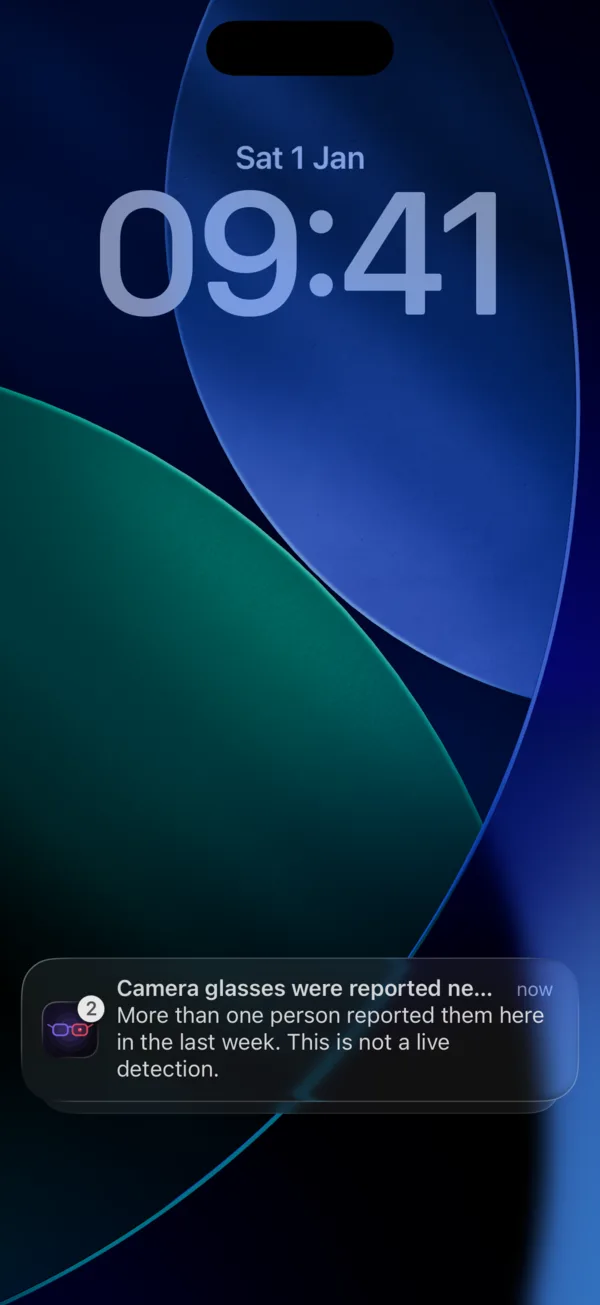
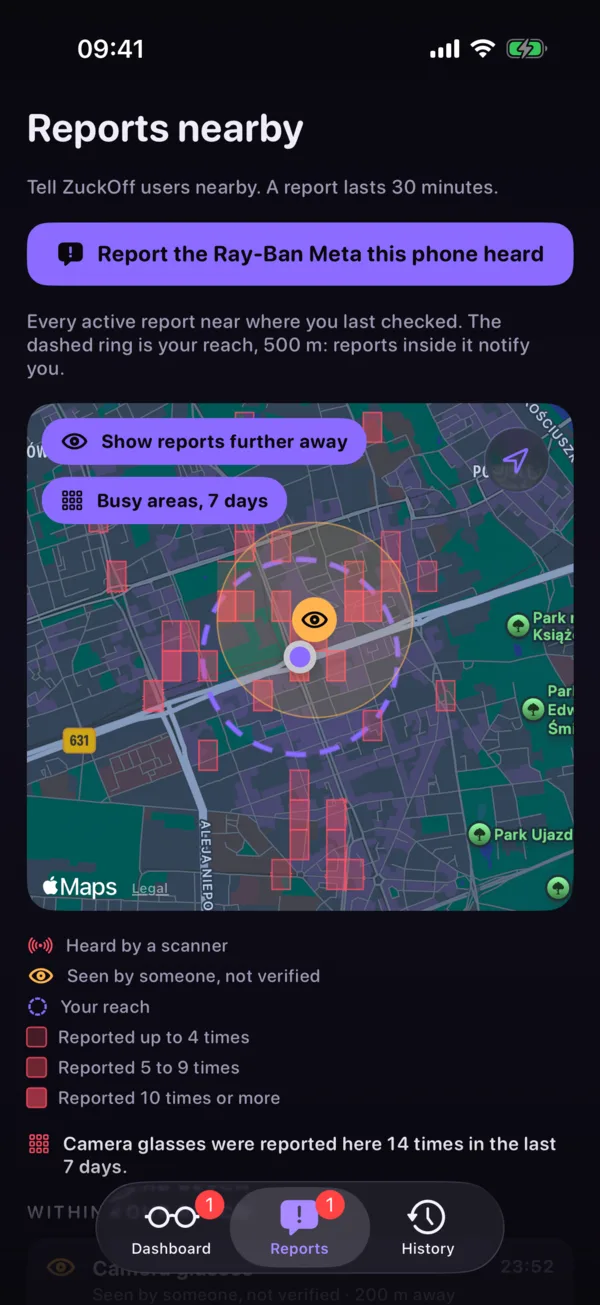
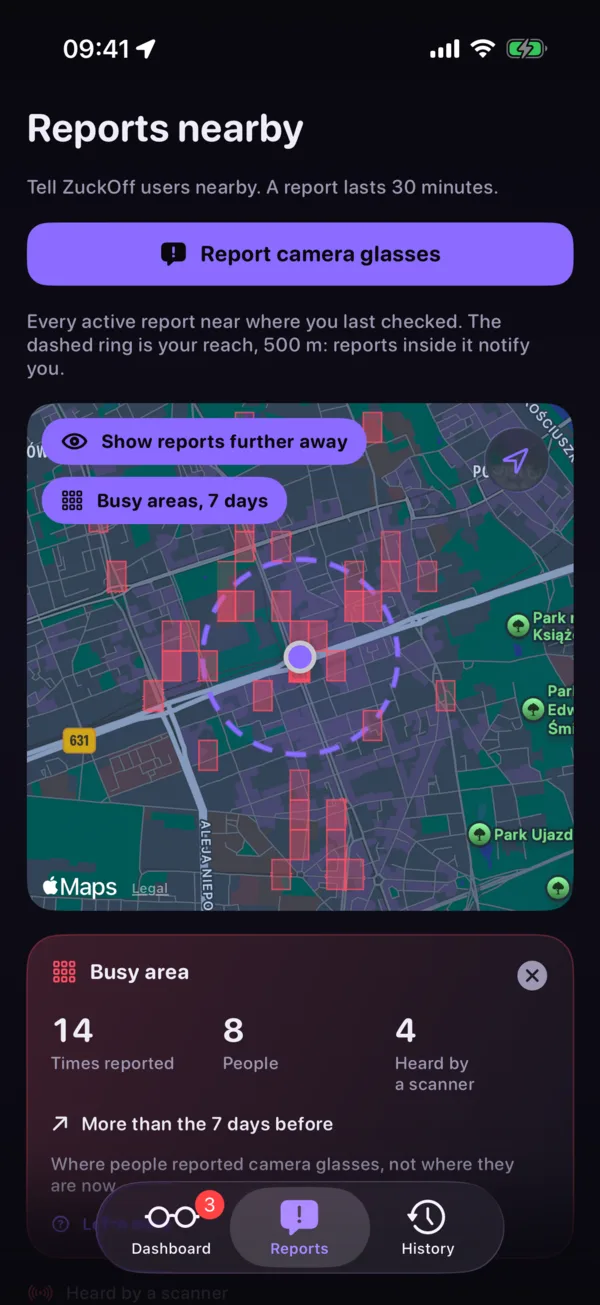
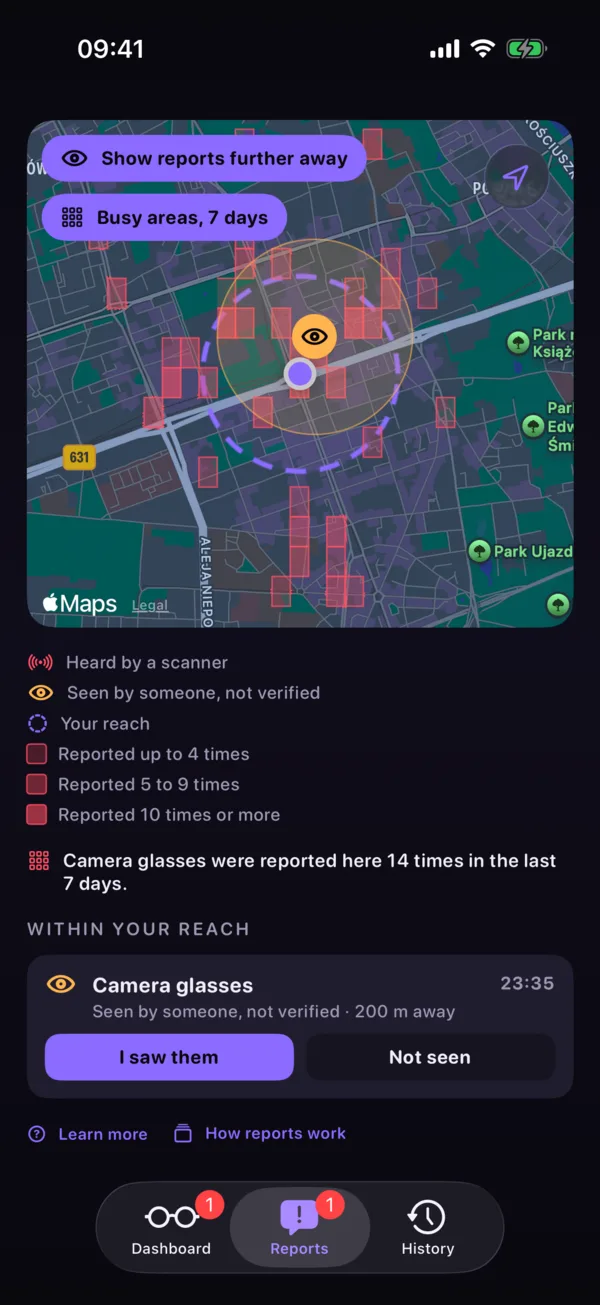
The busy area notification, busy areas on the map, and the card for the area you are in.
What makes an area busy
ZuckOff divides the map into small areas. Once an hour the server counts the reports of the last seven days in each area. An area is busy when camera glasses were reported there at least three times, by at least two different people. One person reporting the same area all day still counts once a day, so nobody can make an area busy on their own.
A busy area is history, not a detection. It says glasses keep turning up here, not that a pair is here right now, and the notification says so.
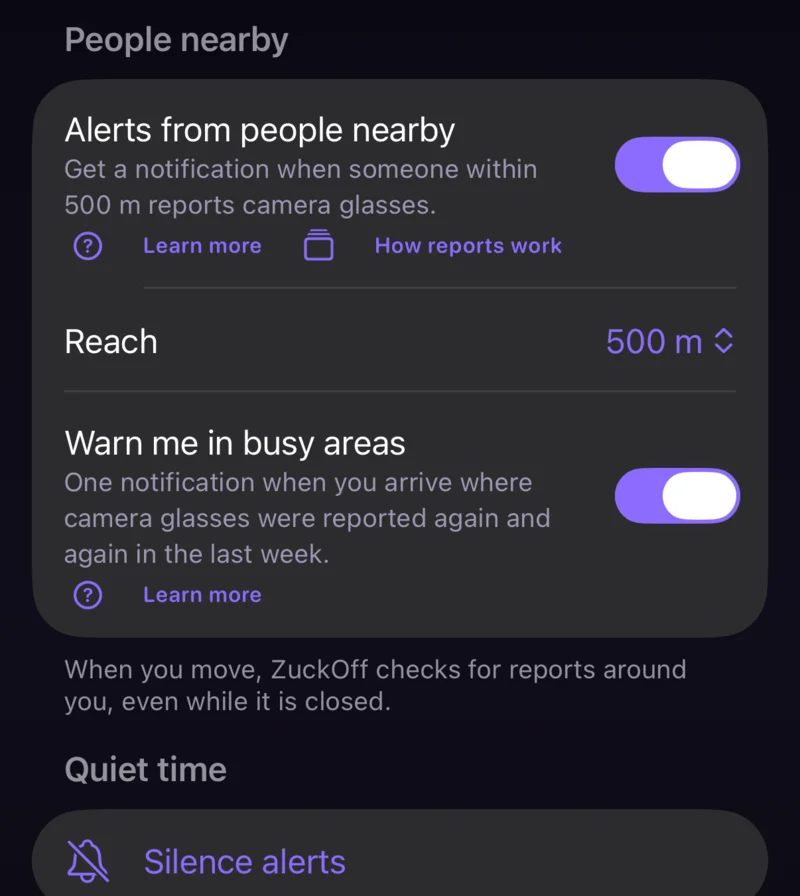
Warn me in busy areas
- Turn it on.It is in Settings under People nearby, next to Alerts from people nearby, which it needs. It is off until you turn it on.
- Walk in.With location set to Always, the warning comes as you arrive. With While Using, it comes when you open ZuckOff there.
- Once a day at most.Each area warns you once a day, and stays quiet if a live report already told you about the same place.
Busy areas on the map
With Pro, the map in the Reports tab shades the busy areas of the week in three strengths: reported up to 4 times, 5 to 9 times, and 10 times or more. Tap an area to see how often it was reported, by how many people, how many of those reports came with a scanner detection, and whether that is more or fewer than the week before.
Open Reports while you are standing in a busy area and its card opens by itself.
Reports have their own tab
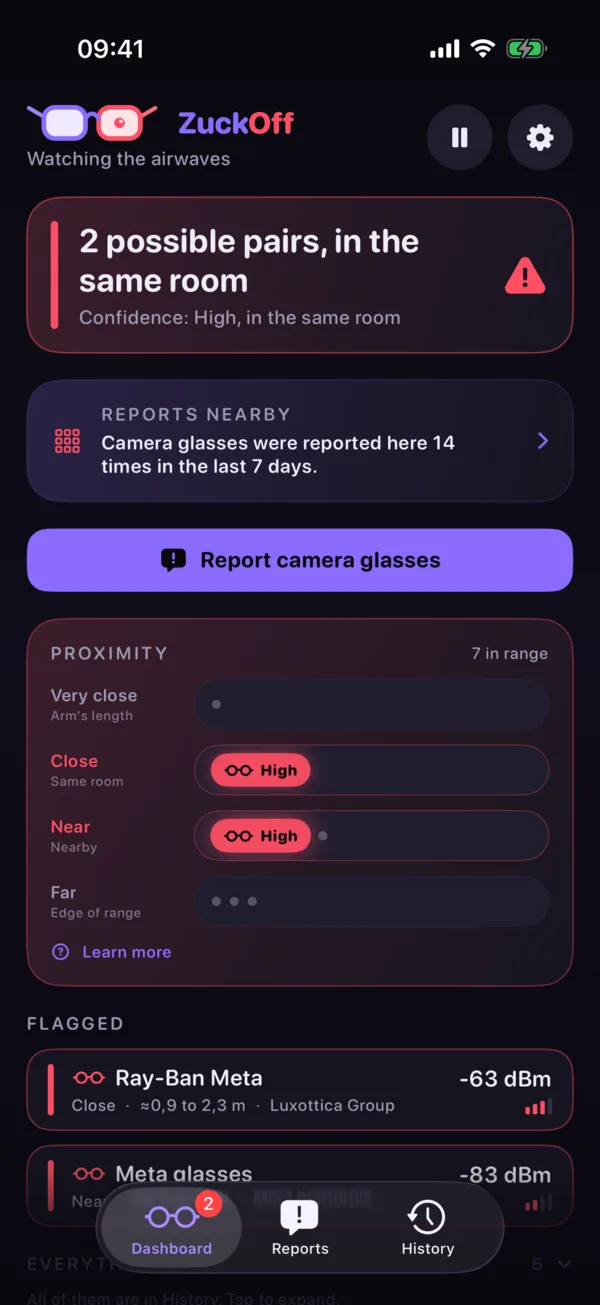
Reports from people nearby used to share the Dashboard with the scan. They now have a tab between Dashboard and History, with the Report button, the map, busy areas and the list of reports around you. The tab shows how many reports are waiting for your answer.
The Dashboard keeps one line about them under the verdict, and a Report button right after your phone hears a pair, naming it when there is only one.
| Free | Pro | |
|---|---|---|
| Report camera glasses | Yes | Yes |
| Warn me in busy areas | Yes | Yes |
| Busy areas on the map | No | Yes |
What leaves your phone
Nothing new. To know where the busy areas are, the app asks the server for the map squares around you, the same request it makes for reports, without an install ID. The warning itself is worked out on your phone and is a local notification.
The server keeps only counts per area. It stores no install ID, device group or location of anyone behind them, and it rebuilds the counts from the reports every hour, so nothing outlives the 30 days reports are kept. Read the full privacy policy for iPhone and Mac or Android.
What it cannot do
A busy area is built from what people reported, and people can be wrong. A quiet area does not mean nobody wears camera glasses there, only that nobody using ZuckOff reported them this week.
On Mac and Android too
ZuckOff for Mac 1.4.0 has the same busy areas: Warn me in busy areas in Settings, and with Pro the shaded areas on the map in Reports nearby.
ZuckOff for Android 1.6.0 brings all of it to Android phones: the Reports tab, Warn me in busy areas in Settings, and with Pro the busy areas on the map. To report without opening the app, touch and hold the ZuckOff icon on your home screen and choose Report glasses.
Get 1.6.0
Rolling out now: 1.6.0 for iPhone on the App Store, 1.4.0 for Mac on the Mac App Store, and 1.6.0 for Android on Google Play.


Hear about the next release first
One email when something ships. Nothing else.