Until now ZuckOff only knew what your own phone could hear. With 1.5.0, when you see camera glasses, you can report them, and everyone within 500 m using ZuckOff gets a heads up. It is free for everyone.
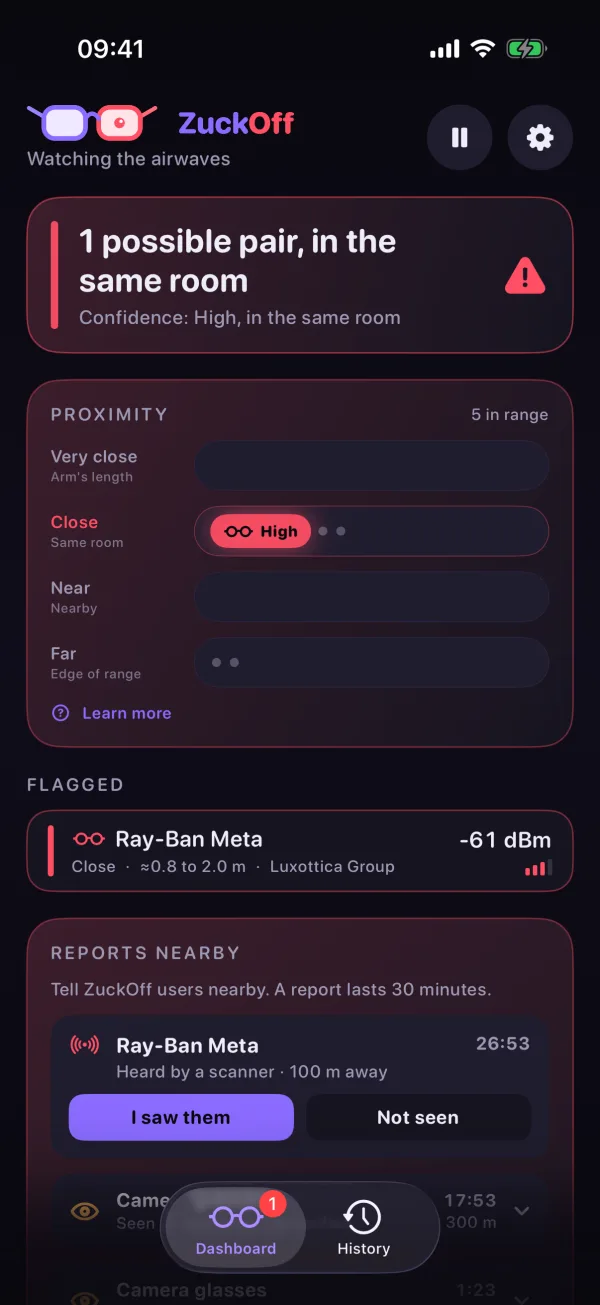
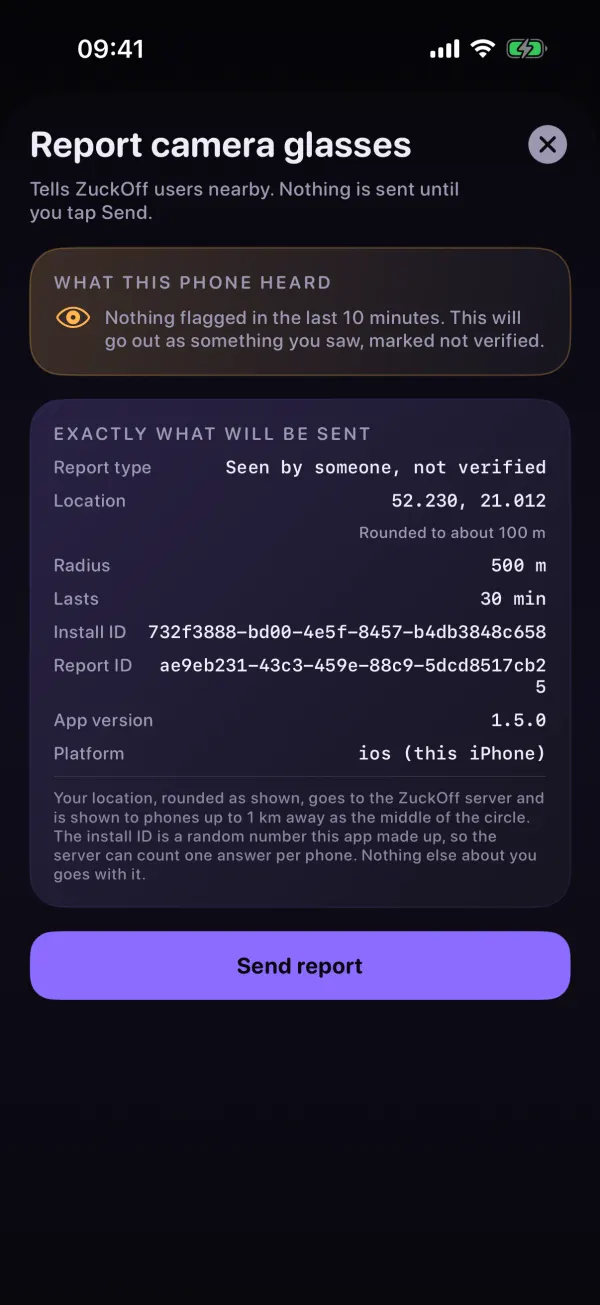
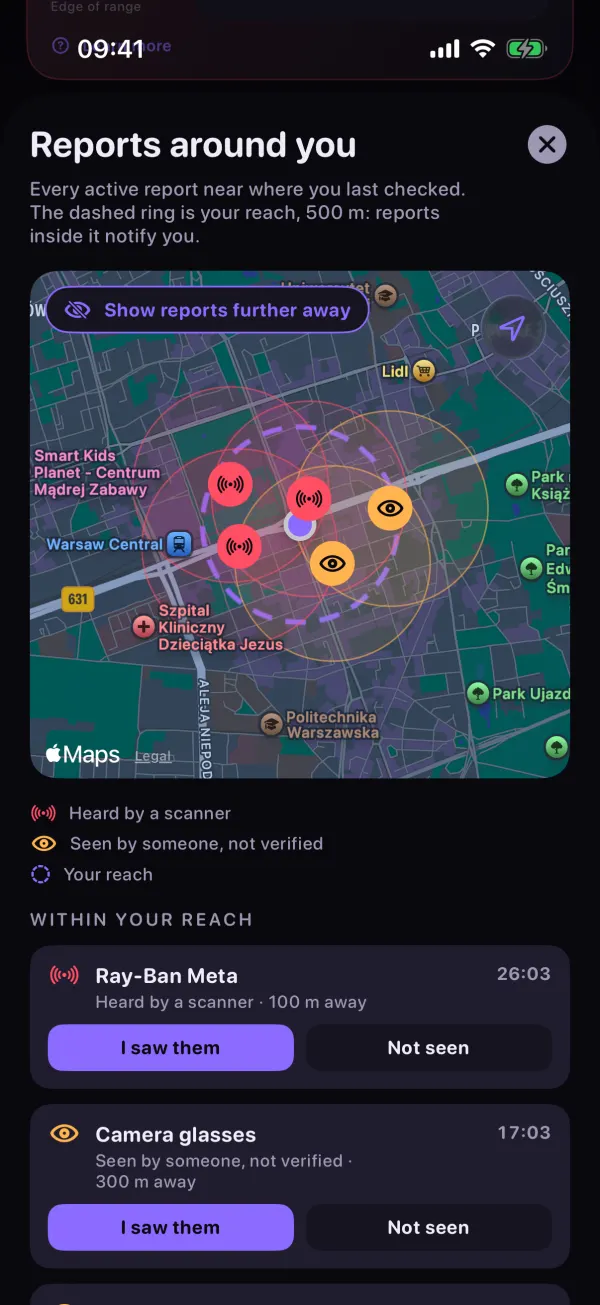
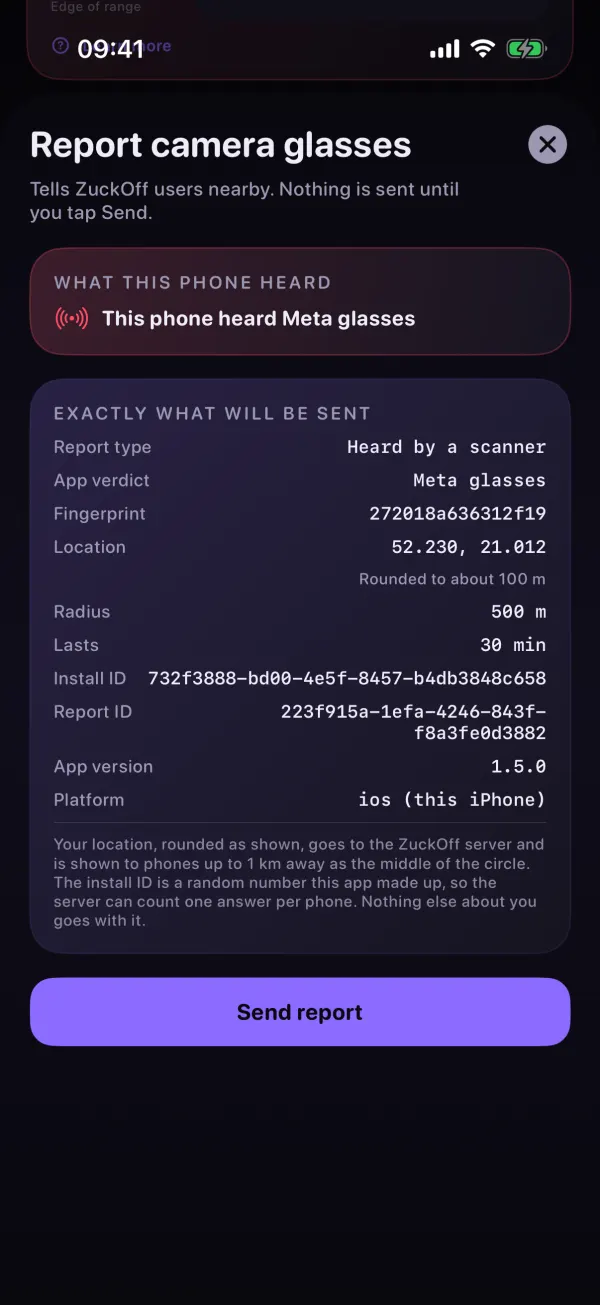
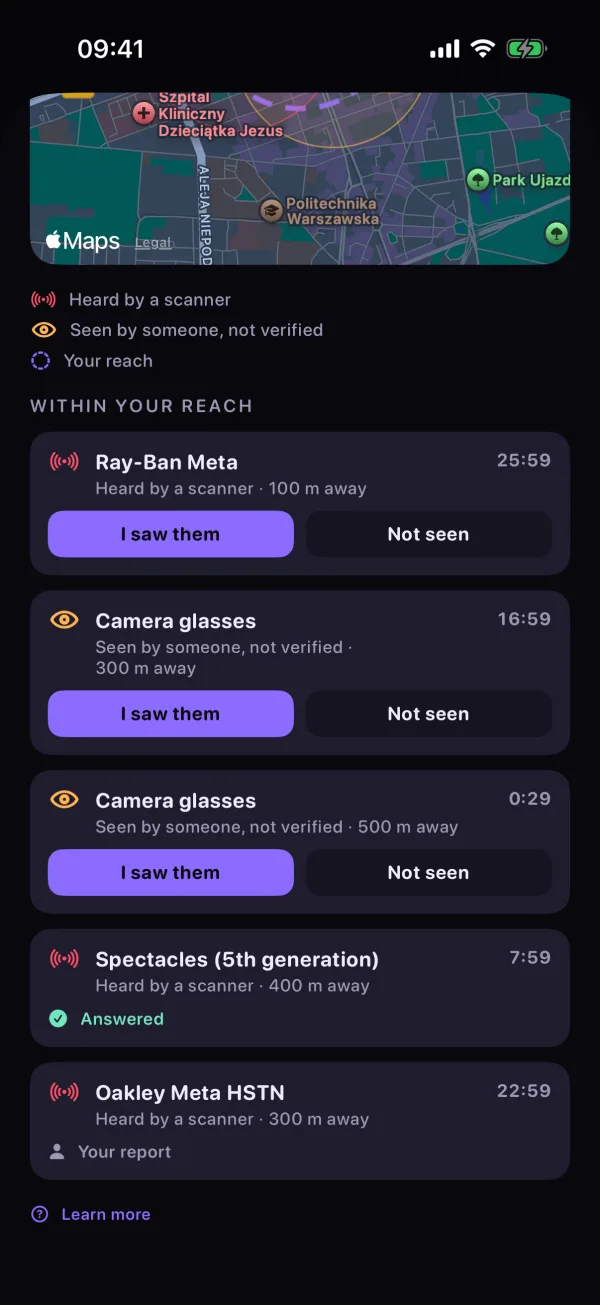
The Dashboard, the report sheet for glasses you saw but your phone did not hear, and the map of reports around you.
Your eyes count too
Bluetooth is not the only way to spot camera glasses. A pair can go quiet once it is paired with its owner's phone, or be a model ZuckOff does not know yet, and your eyes still catch it. Bluetooth also only carries so far: a pair of Ray-Ban Meta across a cafe might be out of range for your phone but right next to someone else.
A report turns what one person notices into a warning for the people around them. Seen a pair? Report it, and everyone nearby knows to look up.
How a report works
- Someone taps Report camera glasses.The app takes one location fix and rounds it to about 100 m. The sheet shows everything that will be sent before you tap Send.
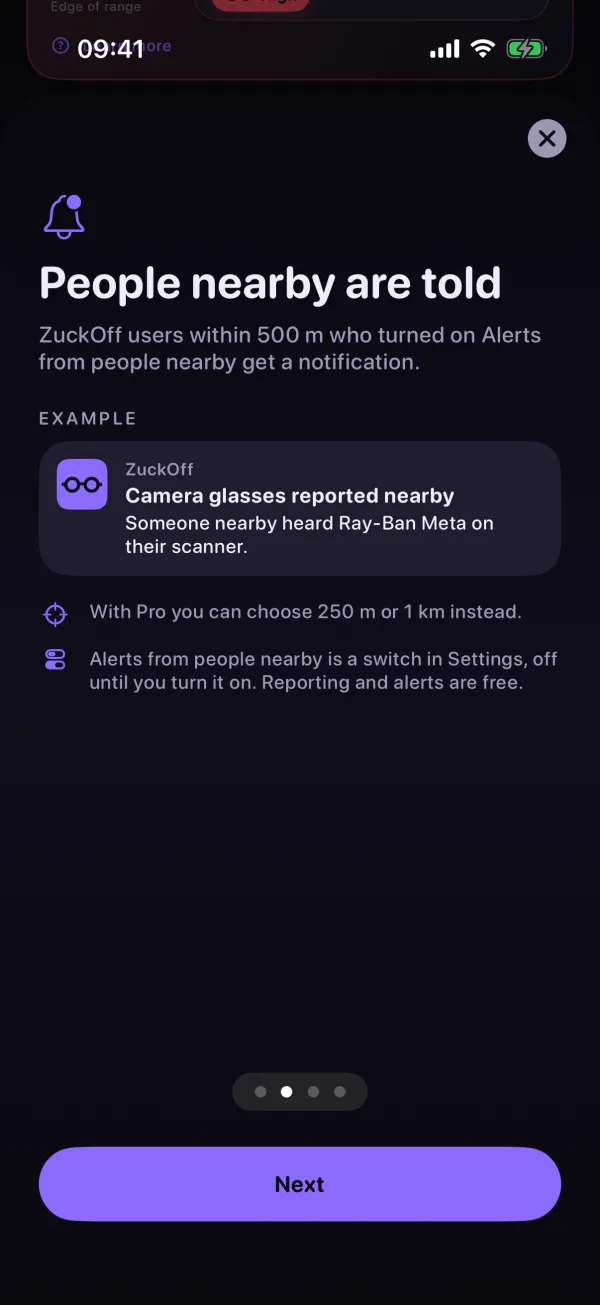
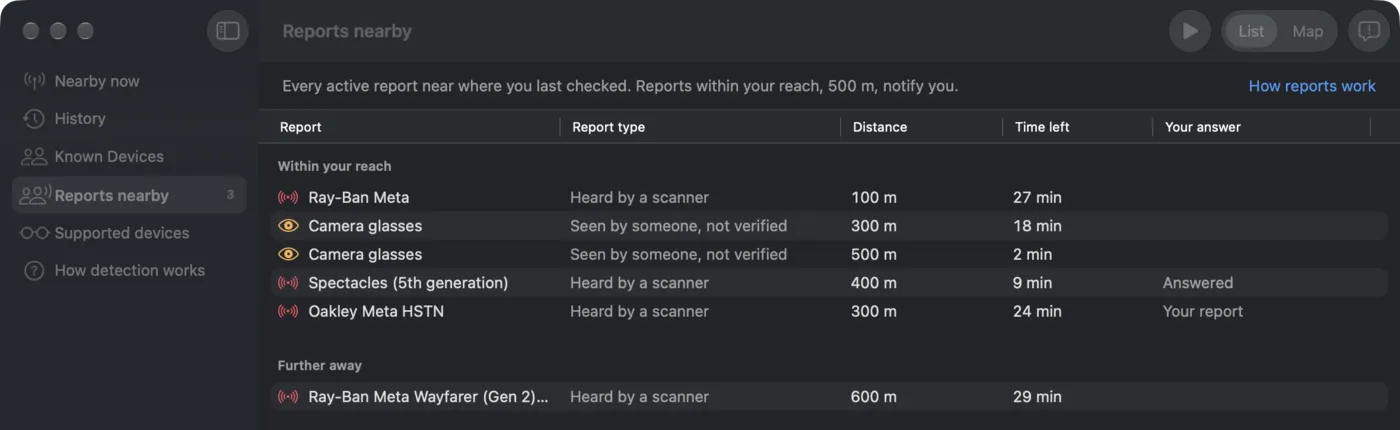
- Phones within 500 m get a notification.It says Camera glasses reported nearby, and whether a scanner heard them. The report stays up for 30 minutes.
- People nearby answer.I saw them, or Not seen. Enough Not seen answers end a report early.
Heard or seen
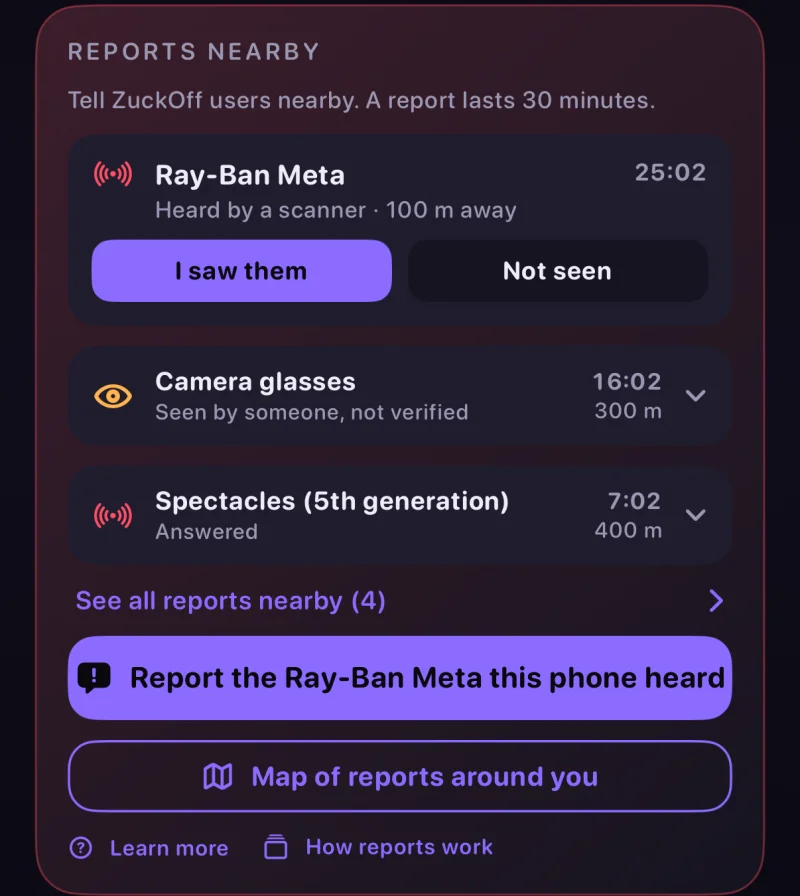
Not every report carries the same weight, and the app says which kind you are looking at.
The reporter's phone flagged camera glasses in the last 10 minutes. The report names the product it heard.
Someone saw glasses with their own eyes. ZuckOff did not hear them, and the report says so.
You do not need your phone to have heard anything. Glasses that have gone quiet over Bluetooth, are out of range or are simply not on the list can still be reported: the sheet says nothing was flagged, and the report goes out as something you saw.
Free, and what Pro adds
| Feature | Free | Pro |
|---|---|---|
| Report camera glasses | Yes | Yes |
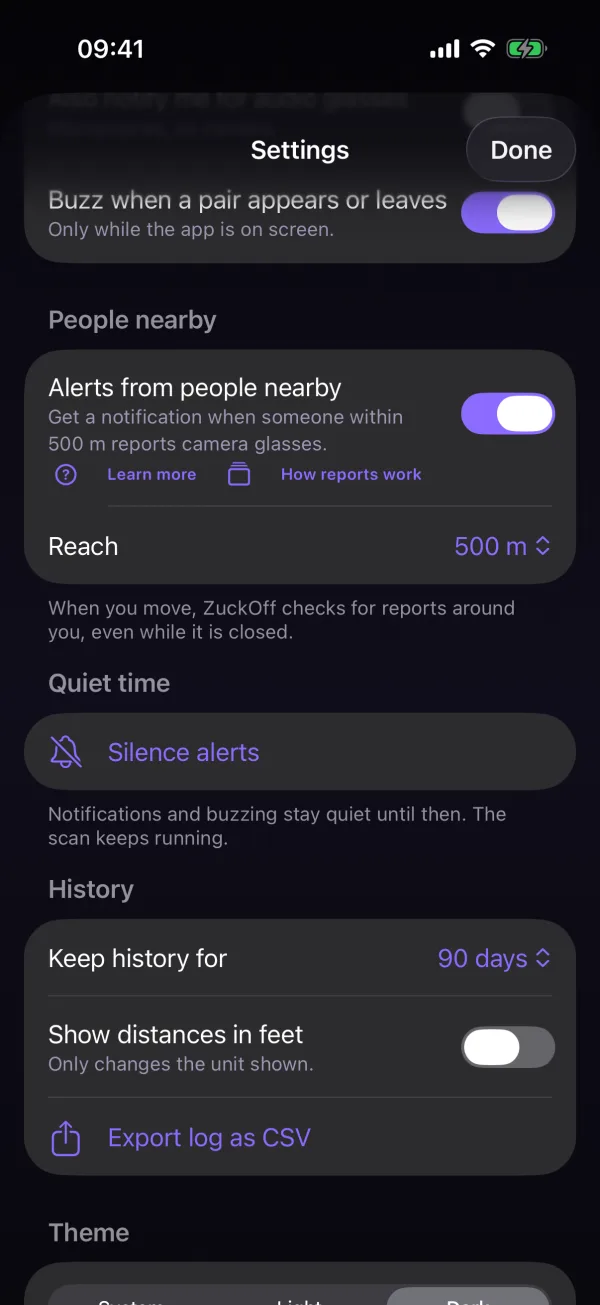
| Alerts from people nearby | 500 m | 250 m, 500 m or 1 km |
| Map of reports around you | No | Yes |
| Tell people nearby, straight from a detection alert | No | Yes |
| Confirm a report on arrival when your scanner hears the same kind of glasses | No | Yes |
What leaves your phone
ZuckOff still has no account and no analytics. A report carries a location rounded to about 100 m, the app version and a random install ID that the server only keeps as a salted hash. Reports and answers are deleted after 30 days.
If your iPhone and Mac use the same iCloud account, they share a random device group ID, so one of them never alerts you about a report the other sent.
Alerts from people nearby are off until you turn them on. Read the full privacy policy for iPhone and Mac or Android.
What it cannot do
A report is a person telling you something, not a measurement. Someone can be wrong, and glasses move. Treat an alert as a reason to look around, not as proof.
On Mac and Android too
ZuckOff for Mac 1.3.0 has the same reports, in a Reports nearby section of the sidebar with a list and, with Pro, a map. It also adds a desktop widget. ZuckOff for Android 1.5.0 brings reports from people nearby to Android phones, with the same 500 m reach, the same answers and the same Pro map.
Also in 1.5.0
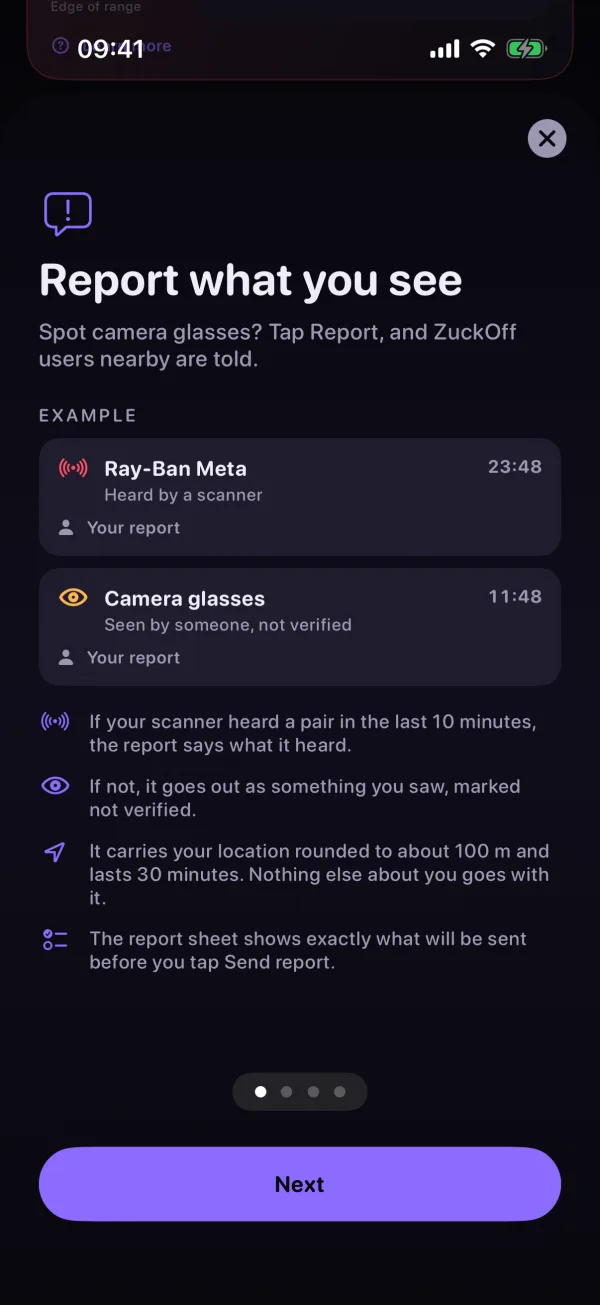
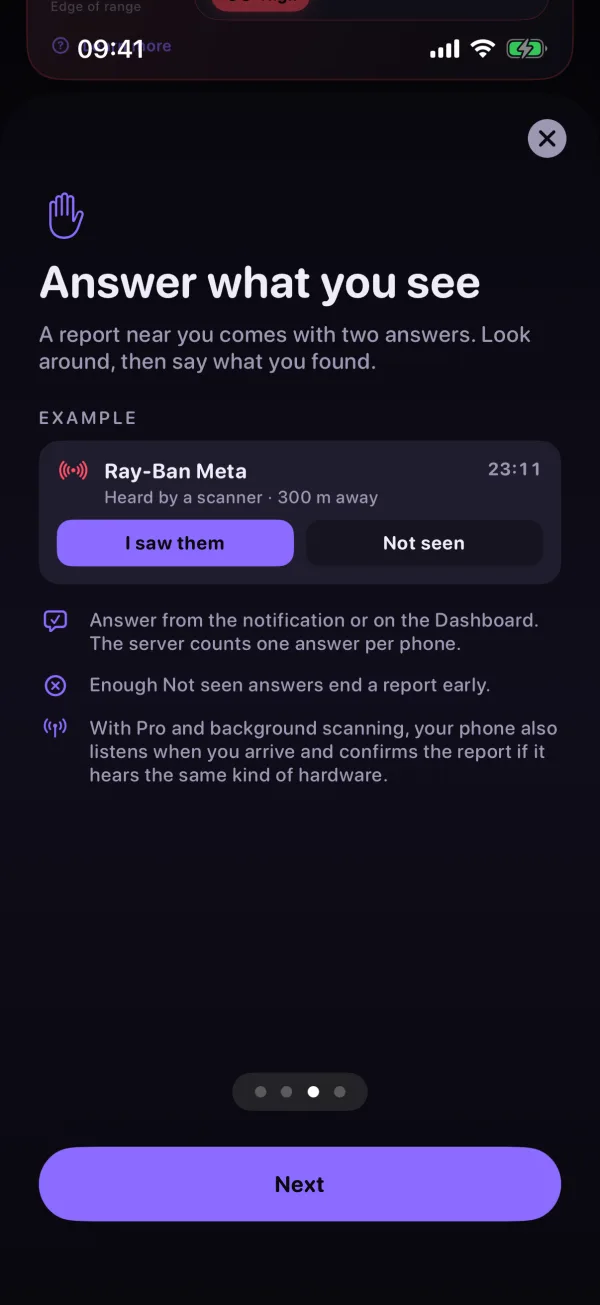
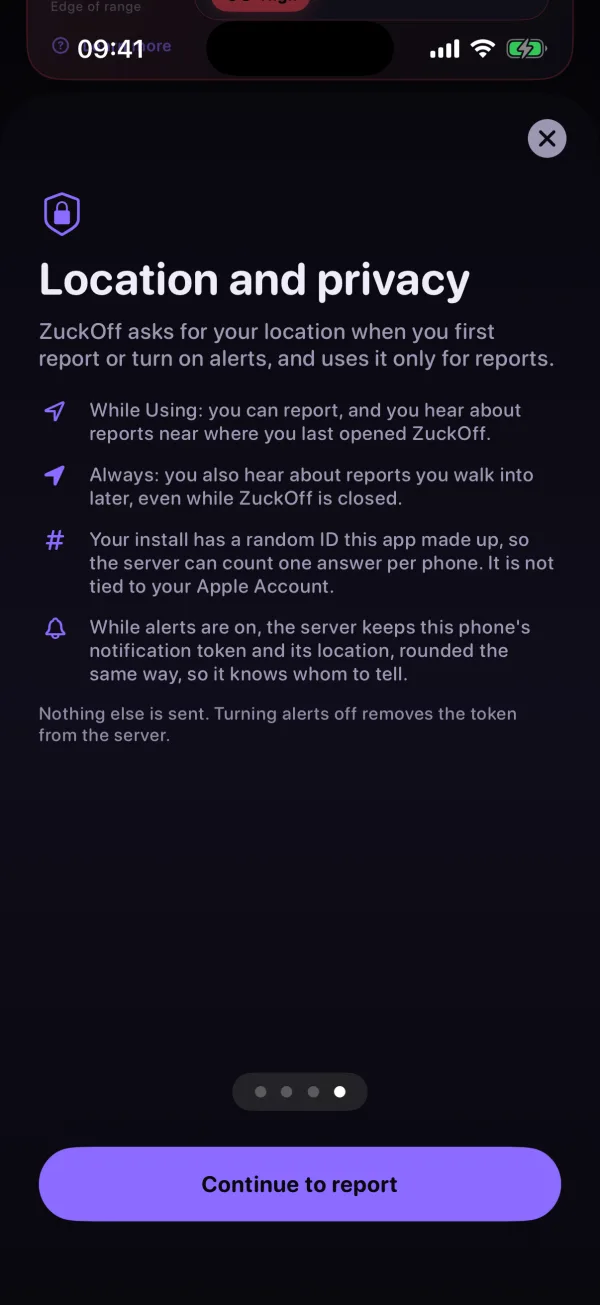
A short tour, How reports work, opens before your first report and stays in Settings. Community distances follow your Show distances in feet setting.
Get 1.5.0
Rolling out now: 1.5.0 for iPhone on the App Store, 1.3.0 for Mac on the Mac App Store, and 1.5.0 for Android on Google Play.

Hear about the next release first
One email when something ships. Nothing else.